

Build a compact portfolio with 3–5 proof projects mapped to MITRE ATT&CK and NIST CSF, a short case study per project, and linked artifacts hosted on GitHub Pages. That’s the minimum hireable package. You don’t need ten projects or a custom-coded site. You need documented evidence that you can identify a threat, assess its impact, and respond to it.
Here’s what to finish this week:
- Headline page: One line stating your specialty (“SOC Analyst | Detection Engineering | Blue Team”)
- 3 proof projects: Each with scope, tools, findings, and remediation
- Artifacts: PCAPs, Splunk queries, Python scripts, or sanitized reports linked from each project
- Contact: Email and LinkedIn, visible without scrolling
Start with one project README today. Use TryHackMe or a Metasploitable home lab as your environment, document every step with Wireshark or Nmap output, map your findings to a MITRE ATT&CK technique ID, and push it to GitHub. Hands-on cybersecurity labs are the fastest path from zero artifacts to a portfolio that recruiters actually read.
Pro Tip: Pick your specialty lane before you build anything. A portfolio labeled “SOC Analyst” with three detection-focused projects reads far more clearly to a hiring manager than five mixed projects with no clear role signal.
Key Takeaways
A hireable cybersecurity portfolio requires 3–5 documented projects with artifacts, each mapped to MITRE ATT&CK and NIST CSF, hosted on GitHub Pages, and structured to show finding, business risk, and remediation.
| Point | Details |
|---|---|
| Lead with your specialty | State your role lane (SOC, DFIR, pentest) on the headline page so recruiters confirm fit in under 30 seconds. |
| Document attack-to-defense | Every project entry needs scope, tools, finding, business risk, and remediation — not just a tool list. |
| Map to frameworks | Reference MITRE ATT&CK technique IDs and NIST CSF functions in each project to signal professional judgment. |
| Host on GitHub Pages | Static hosting is free, HTTPS-enabled, and demonstrates Git fluency to technical hiring managers. |
| Blueteam-academy | Provides project rubrics, peer-reviewed templates, and the Threat & Control Method framework to build portfolio-ready case studies. |
Table of Contents
- What should a cybersecurity portfolio site actually contain?
- Eight ready-to-copy cybersecurity portfolio project templates
- How do you write a project entry that reads like a professional report?
- [Project Title]
- Where should you host your portfolio and what design actually works?
- Where do you get real projects to put in your portfolio?
- A one-page project template and publishing checklist
- What hiring managers actually look for in a cybersecurity portfolio
- Blueteam-academy gives you the projects, templates, and feedback to build this
- Sources
What should a cybersecurity portfolio site actually contain?
Structure matters as much as content. Hiring managers prefer portfolios that let them confirm your specialty and see proof within 30 seconds. That means a logical reading order, not a wall of links.
Page order that works:
- Headline + specialty — Your name, your lane (SOC analyst, DFIR, penetration tester), and one sentence on what you protect or detect.
- TL;DR role summary — Three bullet points: what you’ve built, what tools you use, what you’re targeting next. Career changers should add a roadmap line here.
- Projects — Detailed write-ups, one per page or section. Each entry must state: role (solo, team lead, contributor), duration, environment (home lab, TryHackMe, Azure free tier), and scope (internal network, web app, cloud IAM).
- Artifacts — A dedicated folder or page linking PCAPs, reports, detection rules, and scripts. Label each file clearly.
- Tools & skills — Grouped by category: network analysis (Wireshark, Nmap, tcpdump), SIEM (Splunk, Elastic), OS (Kali Linux, Ubuntu), scripting (Python, Bash), frameworks (MITRE ATT&CK, NIST CSF).
- Resume & certifications — PDF download link plus cert names with issuer and date.
- Contact — Email, LinkedIn, GitHub profile URL.
Map your findings to MITRE ATT&CK technique IDs (e.g., T1059 for command-line execution) and reference the relevant NIST CSF function (Identify, Protect, Detect, Respond, Recover) in each project summary. Hiring managers recognize that framing immediately. It signals professional judgment, not just technical execution.
Eight ready-to-copy cybersecurity portfolio project templates
These eight templates cover the role categories recruiters screen for. Each follows an attack-to-defense workflow: identify the threat, quantify the risk, document the response. Rigorous portfolios commonly include correlated logs, PCAPs, detection rules, and Python automation to prove hands-on skills.
1. Web application penetration test
Goal: Identify OWASP Top 10 vulnerabilities in a deliberately vulnerable web app.
Environment: DVWA (Damn Vulnerable Web Application) on a local VM or TryHackMe’s “OWASP Top 10” room.
Tools: Kali Linux, Burp Suite Community, Nmap, Nikto.
Steps: Recon with Nmap → spider with Nikto → test SQLi and XSS manually in Burp → document each finding with severity.
Measure: Vulnerabilities found by CVSS score, exploitability rating.
Artifacts: Sanitized PDF report, Burp screenshots, remediation notes mapped to NIST CSF “Protect.”
2. Active Directory security assessment
Goal: Enumerate misconfigurations and privilege escalation paths in a test AD environment.
Environment: Windows Server 2019 VM with intentional misconfigs (Kerberoastable accounts, unconstrained delegation).
Tools: BloodHound, SharpHound, PowerView, Nmap.
Steps: Enumerate domain → run BloodHound → identify attack paths → document lateral movement risk.
Measure: Number of privilege escalation paths, number of accounts with excessive permissions.
Artifacts: BloodHound graph exports, finding summary, remediation checklist.
3. SOC/DFIR malware PCAP investigation
Goal: Analyze a malicious PCAP to extract IOCs and reconstruct the attack timeline.
Environment: Wireshark on a provided or TryHackMe-sourced PCAP file.
Tools: Wireshark, NetworkMiner, VirusTotal.
Steps: Filter C2 traffic → extract DNS queries and HTTP artifacts → map to MITRE ATT&CK (T1071 Application Layer Protocol) → write timeline.
Measure: IOC count, MITRE technique IDs mapped.
Artifacts: Annotated PCAP, IOC list (CSV), timeline document.
4. Incident response playbook and timeline
Goal: Build a documented IR playbook for a ransomware scenario and simulate the response.
Environment: Home lab or TryHackMe “Incident Response” path.
Tools: Splunk (free tier), Sysmon, Windows Event Logs.
Steps: Simulate infection → collect logs → triage → containment → eradication → recovery → post-incident report.
Measure: Mean time to detect (simulated), containment steps completed.
Artifacts: IR playbook PDF, Splunk dashboard screenshot, post-incident report.
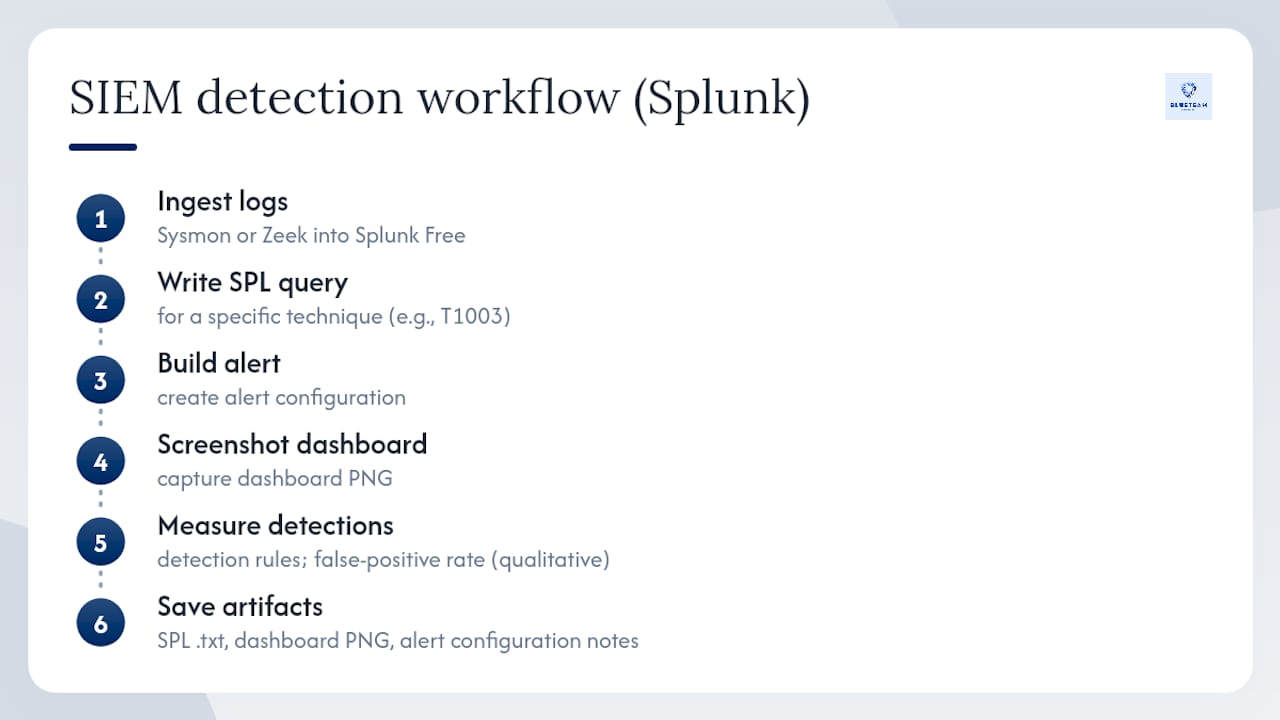
5. SIEM detection and dashboard (Splunk)
Goal: Write detection rules and build a dashboard for a specific attack pattern.
Environment: Splunk Free (local) ingesting Sysmon or Zeek logs.
Tools: Splunk SPL, Sysmon, Zeek.
Steps: Ingest logs → write SPL query for a specific technique (e.g., T1003 credential dumping) → build alert → screenshot dashboard.
Sample SPL query:
index=sysmon EventCode=10 TargetImage="*lsass.exe"
| stats count by SourceImage, User
| where count > 3
Measure: Detection rules written, false-positive rate (qualitative).
Artifacts: SPL queries file (.txt), dashboard screenshot (PNG), alert configuration notes.
6. Cloud hardening (IAM and configuration review)
Goal: Audit an AWS or Azure free-tier environment for IAM misconfigurations and overly permissive policies.
Environment: AWS Free Tier or Azure Student account.
Tools: AWS CLI, ScoutSuite, Prowler.
Steps: Run ScoutSuite → identify over-privileged roles → document findings → apply least-privilege fixes → re-scan.
Measure: Findings before and after remediation, number of policies tightened.
Artifacts: ScoutSuite HTML report (sanitized), before/after policy diff, remediation notes.
7. Python log parser and automation script
Goal: Write a script that parses Windows Event Logs or Apache access logs to flag suspicious patterns.
Environment: Python 3 on any OS, sample log files from TryHackMe or public datasets.
Tools: Python (re, csv, argparse libraries), VS Code.
Steps: Define suspicious patterns (failed logins, unusual user agents) → write parser → output flagged events to CSV → document usage.
Measure: Lines of code, event types parsed, false-positive rate on test data.
Artifacts: GitHub repo with script, sample output CSV, README with usage instructions.
8. GRC-lite security audit report
Goal: Conduct a mock security audit of a fictional small business against NIST CSF controls.
Environment: Fictional organization scenario (define assets, users, and current controls).
Tools: NIST CSF spreadsheet template, risk scoring matrix.
Steps: Define scope → map current controls to NIST CSF functions → identify gaps → score residual risk → write executive summary.
Measure: Controls assessed, gaps identified, risk score before and after recommendations.
Artifacts: Audit report PDF, NIST CSF gap analysis spreadsheet, executive summary (1 page).
Artifact reference by project type:
Pro Tip: The sample Nmap command nmap -sV -sC -oN scan_output.txt 192.168.1.0/24 and the tcpdump filter tcpdump -i eth0 -w capture.pcap 'port 80 or port 443' are worth including verbatim in your README. They show you know your tooling, not just that you ran a scan.
How do you write a project entry that reads like a professional report?
Practical portfolio projects that map to MITRE ATT&CK and NIST are considered authoritative examples. The difference between a hobby note and a professional write-up comes down to structure and redaction discipline.
README template for each project:
## [Project Title]
**Role:** [Solo analyst / Team lead / Contributor]
**Date / Duration:** [Month Year — X weeks]
**Scope:** [What was in scope — IPs, apps, accounts]
**Environment:** [Home lab / TryHackMe / AWS Free Tier / Metasploitable]

### TL;DR (for hiring managers)
One sentence: what you found, what risk it posed, what you fixed.

### Methodology
1. Recon / Discovery
2. Exploitation / Observation
3. Impact Assessment
4. Remediation / Detection

### Key Findings
- Finding 1: [Technique ID] — [Severity] — [Business risk]
- Finding 2: ...

### Artifacts
- [report.pdf](./reports/report.pdf)
- [capture.pcap](./pcaps/capture.pcap)
- [detection_rule.spl](./scripts/detection_rule.spl)

### Frameworks Referenced
- MITRE ATT&CK: [T1059, T1003]
- NIST CSF: [Detect, Respond]
Recommended repo structure:
your-portfolio/
├── README.md          ← top-level intro + project index
├── /project-01-webpentest/
│   ├── README.md
│   ├── /reports/
│   ├── /artifacts/
│   └── /scripts/
├── /project-02-ad-assessment/
│   └── ...
Redaction rules you cannot skip. Never publish real IP addresses from production environments, credentials of any kind, or metadata that identifies a real organization or client. Anonymize hostnames to target-host-01 style labels. If you worked on a real environment under a bug bounty or volunteer engagement, include a one-line responsible disclosure statement: “This assessment was conducted with written authorization. Findings were disclosed to the asset owner prior to publication.”
Pro Tip: Add a DISCLAIMER.md to every repo that states the environment was isolated, intentionally vulnerable, or authorized. It takes two minutes and removes any ambiguity about the legality of your work.
Where should you host your portfolio and what design actually works?
Static hosting on GitHub Pages or Netlify is the standard for technical portfolios. It’s free, HTTPS by default, and the Git-based deployment itself signals version control fluency. Template generators and static themes like terminal-style or dark navy layouts are widely used to publish quickly without front-end development work.
Avoid WordPress or dynamic stacks for a basic portfolio. They require ongoing patching, which is ironic for a security professional and adds maintenance overhead that distracts from the actual content.
Design principles that help recruiters scan faster:
- Use a terminal/monospace or minimalist dark navy layout. These reduce visual noise and keep focus on your project TL;DRs.
- Put the role headline and specialty above the fold. A recruiter should not scroll to find out what you do.
- List tools used in each project as a scannable tag line, not buried in paragraphs.
- Include a visible resume download link and a contact email on every page.
Quick deploy checklist:
| Step | Action | Why it matters |
|---|---|---|
| Version control | Push all files to a GitHub repo | Enables GitHub Pages and shows Git fluency |
| HTTPS | Enable in GitHub Pages settings or Netlify | Required for credibility; free on both platforms |
| robots.txt | Add a permissive robots.txt | Prevents accidental indexing blocks |
| sitemap.xml | Generate with a static site tool | Helps search engines and recruiters find all pages |
| Contact visible | Email + LinkedIn on every page | Removes friction for recruiters to reach you |
| Resume link | PDF download, not a Google Doc | Consistent formatting across devices |
Where do you get real projects to put in your portfolio?
The most common blocker for junior candidates isn’t skill. It’s not having a documented project to show. CompTIA’s workforce and learning trends research identifies applied, lab-based learning as a high-value signal for employers evaluating early-career candidates. The good news: you don’t need a job to generate that evidence.
- TryHackMe — Best for structured, guided labs with pre-built vulnerable environments. Complete a room, then write it up as a case study. The “SOC Level 1” and “Jr Penetration Tester” paths generate enough material for three portfolio projects each.
- HackTheBox — Better for intermediate candidates who want unguided challenges. Retired machines are legal to document publicly after their official write-up window closes.
- Home lab with Metasploitable — Set up Metasploitable 2 or 3 on a VirtualBox network isolated from your production environment. Run Nmap, exploit with Metasploit, capture traffic with Wireshark. This is the most flexible source of original artifacts.
- Google Cybersecurity Certificate exercises — The Coursera-hosted labs produce real log analysis and SIEM work. Document the exercises as structured case studies with scope and findings.
- Open-source contributions — Contributing detection rules to a public Sigma or Suricata rule set, or submitting a bug report to an open-source project, counts as real-world work. Document the contribution, the vulnerability class, and the fix.
- Volunteering — Nonprofits and small businesses often need basic security assessments. A documented, authorized vulnerability scan with a written remediation report is a strong portfolio artifact. Treat it exactly like a professional engagement: written scope, findings, and disclosure.
Converting a lab to a portfolio case study: Define the scope (what you tested), reproduce the key steps in your README, extract at least one artifact (PCAP, script output, screenshot), and map the primary finding to a MITRE ATT&CK technique ID. That four-step conversion turns a TryHackMe room into a professional-looking case study in under an hour.
For a structured path that produces portfolio-ready projects with peer review and templates built in, the cybersecurity career path guidance at Blueteam-academy covers how to choose your target role and what projects to prioritize for it.
A one-page project template and publishing checklist
Before you push anything public, run through this checklist. Skipping it is the most common reason a portfolio undermines rather than supports a job application.
One-page project template (copy into each repo’s front matter):
| Field | What to write |
|---|---|
| Title | Descriptive, role-specific (e.g., “Splunk Detection Rule: LSASS Memory Access”) |
| Role | Your role in the project (solo, contributor, team lead) |
| Outcome | One sentence: finding + business risk + remediation |
| Key artifacts | List file names and types (report.pdf, capture.pcap, parser.py) |
| Mitigation summary | Two to three bullet points on what was fixed or detected |
| Frameworks | MITRE ATT&CK technique IDs + NIST CSF functions referenced |
Pre-publish checklist:
| Check | Done? |
|---|---|
| All IPs and hostnames anonymized | ☐ |
| No credentials or API keys in any file | ☐ |
| DISCLAIMER.md present in repo | ☐ |
| Artifact links resolve | ☐ |
| Resume PDF link works | ☐ |
| Contact info visible | ☐ |
| Site loads over HTTPS | ☐ |
| Repo is public (not private) | ☐ |
Minimum file formats per project: PDF report or README.md write-up, at least one supporting artifact (.pcap, .py, .spl, .xlsx, or screenshot PNG), and a remediation notes file. Name files descriptively: ad-assessment-findings-2026.pdf, not report_final_v3.pdf.
What hiring managers actually look for in a cybersecurity portfolio
The portfolios that move candidates forward share one quality: they show decision-making, not just tool execution. A recruiter scanning your work wants to know whether you understood why a finding mattered, not just that you ran Nmap and found open ports.
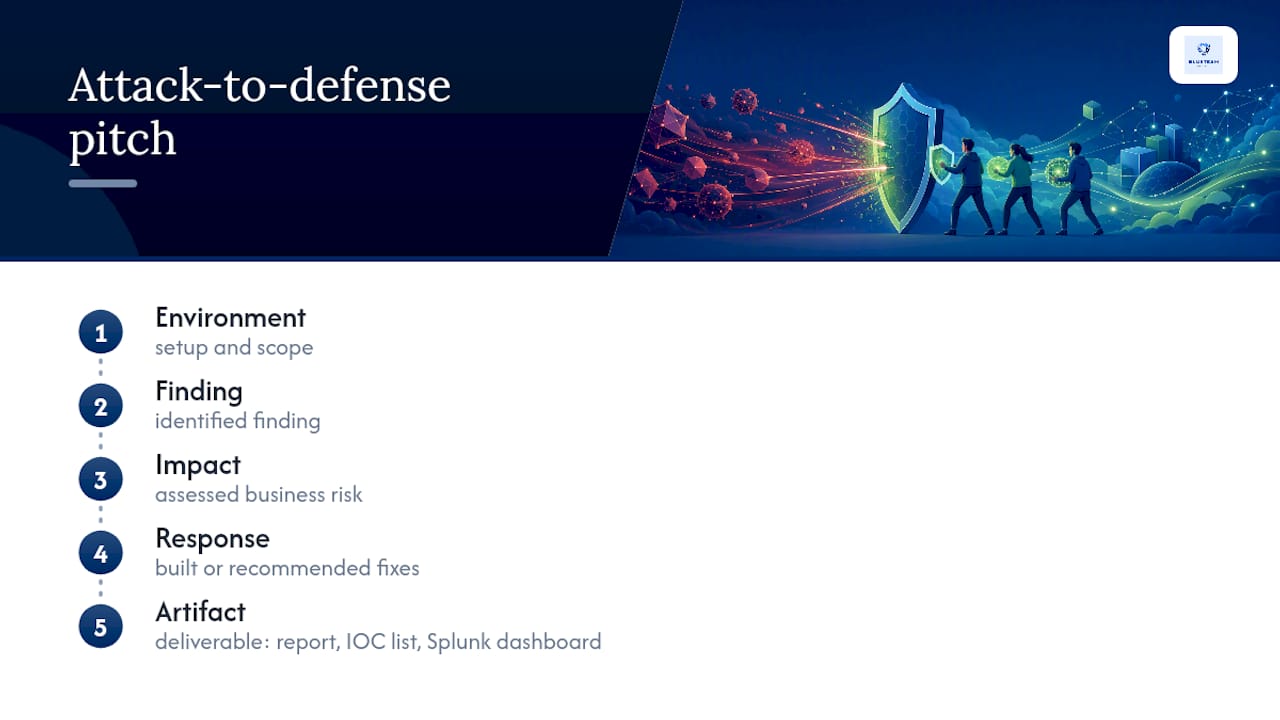
The most persuasive framing follows an attack-to-defense arc: here’s what I found, here’s the business risk it created, here’s what I built or recommended to address it. That structure mirrors a professional pentest report and signals that you think like a practitioner, not a student. Hiring managers consistently prefer documented labs and case studies that show scope, findings, impact, and remediation over portfolios that lead with aesthetic or tool lists.
Tailor your artifact selection to the role you’re targeting. A SOC analyst portfolio should lead with detection rules, Splunk dashboards, and PCAP analysis mapped to MITRE ATT&CK technique IDs. A DFIR candidate needs a reconstructed timeline and an IOC list. A penetration tester needs a sanitized report with CVSS scores and a remediation section. Using the same generic portfolio for all three roles is a missed opportunity.
For interviews, prepare a 90-second project pitch for your strongest case study. The structure: “I set up [environment], identified [finding], assessed the risk as [impact], and responded by [action]. The artifact I produced was [deliverable].” That framing answers the question every interviewer is actually asking: can you communicate findings to someone who wasn’t in the room?
Blueteam-academy gives you the projects, templates, and feedback to build this
Most candidates spend some time trying to figure out what to build. Blueteam-academy removes that friction. The courses are built around the Threat & Control Method, a practical decision-making framework that structures every lab as a real-world scenario with defined scope, findings, and remediation. You get project rubrics, peer-reviewed templates, and feedback loops that tell you whether your write-up reads like a professional report before you send it to a recruiter. If you’re an IT professional ready to build a portfolio that proves defensive skills, the online cybersecurity courses at Blueteam-academy are the structured path to get there. Browse the full course catalog and start your first project this week.
Sources
- Cybersecurity Portfolio: 9 Examples + How to Build One That Gets Interviews – DesignToCodes
- Cybersecurity Portfolio Template (Free) | CVfy | CVfy
- A-Olarh/Cybersecurity-Portfolio
- CompTIA: Workforce and learning trends 2026
All statistics and workforce figures cited in this article reference named US sources. Any figure without a named source is flagged [VERIFY] per this site’s editorial standard.
