

Microsoft Sentinel is a cloud-native SIEM and SOAR platform that can materially reduce your SOC’s mean time to respond and total SIEM cost of ownership — when you pair it with the right people, processes, and a disciplined rollout. It fits best for SOCs that need multicloud visibility, long-term log retention, and built-in automation. The trade-offs are real: KQL fluency is non-negotiable for anyone writing detections, playbook automation requires careful staging, and process alignment takes longer than the technical deployment.
TL;DR before you read further:
- Core capabilities: data ingestion via 450+ connectors, analytics rules, UEBA, threat intelligence, Logic Apps-based playbooks, and a built-in data lake for long-term retention and hunting.
- Operational trade-offs: Sentinel is a technology platform, not a managed SOC. Your team owns connector health, detection tuning, and automation governance. Expect a 60–90 day ramp before the platform runs at full efficiency.
- Next-step checkpoint: Connect your three highest-value data sources, validate ingestion with KQL, and run SOC optimization recommendations before writing a single custom analytics rule.
Security Copilot, integrated directly into the Sentinel experience, can draft KQL queries and summarize incidents to accelerate triage — though every AI-generated output needs analyst validation before it becomes operational.
Table of Contents
- What Microsoft Sentinel actually does for your SOC
- How Sentinel fits into your SOC’s people and processes
- How Sentinel’s architecture and data flow work
- Which Sentinel features should your SOC enable first?
- A step-by-step operational plan to onboard and tune Sentinel
- Cost levers and TCO considerations for Sentinel
- A practical best-practices checklist for SOC teams
- Skills and training paths for SOC teams running Sentinel
- Key Takeaways
- What usually breaks on day 90 (and how to avoid it)
- Blueteam-academy helps your SOC team build real Sentinel skills
- Authoritative sources and official documentation
What Microsoft Sentinel actually does for your SOC
Microsoft Sentinel combines four historically separate functions into one cloud-native platform: SIEM (log collection, correlation, alerting), SOAR (automated response via Logic Apps playbooks), UEBA (user and entity behavior analytics), and threat intelligence management. For a SOC running multiple point tools, that consolidation alone reduces context-switching during investigations.
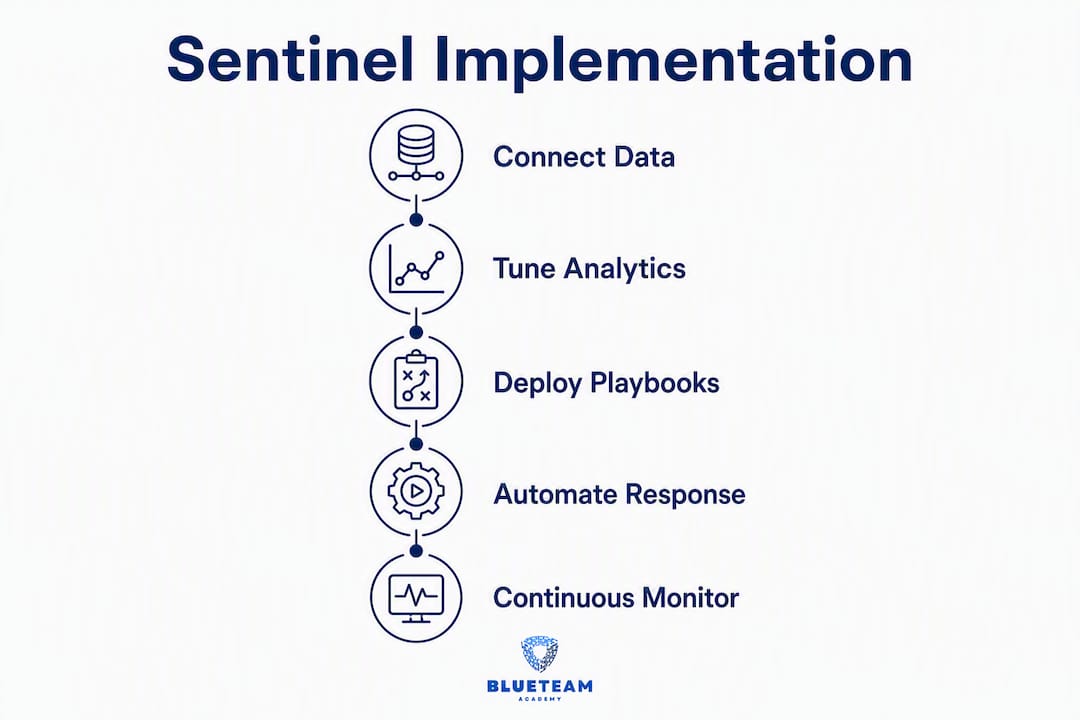
Data ingestion and connectors are where everything starts. Sentinel connects to Microsoft-native sources (Microsoft Defender, Entra ID, Microsoft 365) with near-zero configuration, and extends to third-party cloud providers, on-premises systems via syslog/CEF, and custom APIs. The connector library covers more than 450 sources, which means most SOCs can get meaningful coverage without writing custom ingestion pipelines on day one.
Analytics rules are the detection engine. Sentinel ships with a library of out-of-the-box rule templates mapped to MITRE ATT&CK, so you can enable detections before your team writes a single custom KQL query. Those templates are a starting point, not a finish line — they need threshold tuning and suppression filters to reduce false positives in your specific environment.
“Microsoft Sentinel empowers analysts to anticipate and stop attacks across clouds and platforms, faster and with greater precision — combining AI, automation, and threat intelligence to support detection, investigation, response, and proactive hunting.” — Microsoft Learn, Sentinel Overview
UEBA runs continuously in the background, building behavioral baselines for users and entities. When an analytics rule fires, Sentinel enriches the incident with UEBA context automatically — so your Tier 1 analyst sees not just the raw alert, but whether the triggering account has a history of anomalous behavior.
The built-in data lake is one of the most underappreciated cost levers. Rather than paying hot-storage rates for years of log data, Sentinel routes older logs to the data lake tier, where they remain queryable for hunting and compliance at a fraction of the cost. For SOCs with regulatory retention requirements, this changes the TCO math significantly.
Security Copilot, when licensed, integrates directly into the Sentinel incident view. Microsoft claims it reduces mean time to respond by approximately 30% in demonstrated scenarios — that figure is vendor-reported, so treat it as directional rather than guaranteed. The practical value is real: Copilot drafts KQL queries from natural-language prompts and generates incident summaries, which helps analysts who are still building KQL fluency handle more cases per shift.
Stat to watch: Microsoft reports Security Copilot can reduce MTTR by approximately 30% in demonstrated scenarios. Validate that against your own baseline after a 90-day pilot before committing to it as a planning assumption.
How Sentinel fits into your SOC’s people and processes
Sentinel is a technology platform. Microsoft partners with managed service providers for managed SOC delivery — the platform itself does not come with analysts, runbooks, or escalation paths. That distinction matters operationally because every capability Sentinel offers requires a human owner within your team.

Here is how ownership typically maps across SOC roles:
| Function | Owner | Sentinel touchpoint |
|---|---|---|
| Log ingestion and connector health | SOC engineer / platform team | Connector configuration, data connector health workbook |
| Detection authoring | Detection engineer | Analytics rules, KQL, MITRE ATT&CK mapping |
| Playbook development | Automation engineer | Logic Apps, playbook templates, Content Hub |
| Incident triage and investigation | Tier 1–2 analysts | Incident queue, entity pages, UEBA context |
| Threat intel enrichment | Threat intel analyst | TI blade, TAXII/STIX feeds, watchlists |
| SOC optimization and coverage review | SOC manager / detection lead | SOC optimization recommendations, coverage workbooks |
The incident lifecycle inside Sentinel differs from legacy SIEM workflows in one important way: enrichment happens before the analyst touches the incident. Alerts fire, Sentinel correlates them into incidents, playbooks run enrichment automatically (IP reputation, user context, UEBA score), and the analyst opens a case that already has context attached. That shift compresses triage time but requires your Tier 1 runbooks to be rewritten around the enriched incident model, not the raw alert model.
Pro Tip: Start automation with notification and enrichment playbooks only. Do not add blocking actions until you have defined test cases, a rollback procedure, and a named automation owner. Microsoft Learn’s playbook guidance is explicit on this point — and teams that skip it tend to discover the gap during an incident, not before.
How Sentinel’s architecture and data flow work
Data flows through Sentinel in a predictable path: sources send logs to a Log Analytics workspace via connectors or agents, analytics rules and enrichment run against that workspace, and incidents surface in the Sentinel incident queue. Long-term data routes to the built-in data lake for retention and hunting without inflating hot-storage costs.

Workspace topology choices:
Connector types and onboarding patterns:
- Microsoft native connectors — (Defender for Endpoint, Defender for Cloud, Entra ID, Microsoft 365): enable these first. They require minimal configuration, deliver high-fidelity signals, and populate the UEBA engine immediately.
One operational detail worth flagging: Sentinel is migrating its primary management experience into the Microsoft Defender portal. If your team manages Sentinel through the Azure portal today, plan for that workflow change and test your runbooks against the Defender portal interface before the migration completes.
Which Sentinel features should your SOC enable first?
Not every Sentinel feature delivers equal value on day one. Prioritize in this order, and you will see measurable improvements in detection and response within the first 30 days.
Sample KQL reference queries for early validation:
| Purpose | Example KQL pattern |
|---|---|
| Validate ingestion is flowing | SecurityEvent | summarize count() by Computer, bin(TimeGenerated, 1h) |
| Check for failed sign-ins | SigninLogs | where ResultType != "0" | summarize count() by UserPrincipalName |
| Hunt for rare process executions | DeviceProcessEvents | summarize count() by FileName | where count_ < 5 |
| Review incident volume by severity | SecurityIncident | summarize count() by Severity, bin(TimeGenerated, 1d) |
These are starting patterns. Your detection engineers will refine them against your actual data schema and environment baselines.
Feature rollout sequence:
- High-value connectors first — Microsoft Defender, Entra ID, and your primary cloud provider before anything else.
Playbook templates are available in the Microsoft Sentinel GitHub repository and the Content Hub. Start with the notification and enrichment templates before building custom Logic Apps workflows.
30/60/90-day feature checklist:
A step-by-step operational plan to onboard and tune Sentinel
Getting Sentinel deployed is the easy part. Getting it to run efficiently inside your SOC takes deliberate process work.
- Enable high-value connectors first — Microsoft native sources, then cloud providers, then syslog/CEF. Validate each connector with a KQL count query before moving to the next.
Pro Tip: Microsoft Learn’s playbook guidance is explicit: implement notification and enrichment playbooks before any blocking actions. For every blocking playbook you eventually build, document the test cases, the rollback steps, and the named owner. A blocking playbook without a rollback plan is a liability, not an asset.
Metrics to track from day one:
Cost levers and TCO considerations for Sentinel
Sentinel pricing has two primary dimensions: ingestion volume and retention duration. Understanding both lets you model costs before they surprise you.
Ingestion pricing options:
- Pay-as-you-go: billed per GB ingested. Predictable for low or variable volumes; expensive at scale.
- Commitment tiers: fixed daily GB commitments at a discounted per-GB rate. The right choice once your ingestion volume is stable and measurable. Microsoft publishes current tier thresholds and rates on the official Sentinel pricing page — always use that as your source of record, not third-party guides.
Retention cost levers:
- The built-in data lake stores logs beyond the default interactive retention window at significantly lower cost. For SOCs with 12-month or longer compliance retention requirements, routing aged data to the data lake rather than keeping it in hot storage is the primary TCO lever.
- Table-level retention settings let you keep high-value tables (SecurityEvent, SigninLogs) at longer interactive retention while dropping low-value tables (verbose diagnostic logs) to minimal retention.
Actionable cost controls:
- Run SOC optimization’s data-value recommendations to identify tables with high ingestion cost and low detection value.
- Use sampling for high-volume, low-fidelity sources (DNS query logs, for example) where full fidelity is not required for detection.
- Implement resource tagging and Azure Cost Management chargeback so each business unit sees its own ingestion cost. This creates organizational incentive to rationalize log sources.
- Review ingestion volume weekly during the first 90 days. Unexpected spikes usually trace to a misconfigured connector or a newly verbose log source.
Migration licensing note: if you are running a parallel legacy SIEM during migration, factor the dual-run period into your budget. The migration tool accelerates the analysis phase, but the parallel run period is where costs spike. Plan for it explicitly.
A practical best-practices checklist for SOC teams
Sentinel does not maintain itself. The SOCs that get the most value from it treat it like a product they own, not a service they consume.
| Cadence | Task | Success signal |
|---|---|---|
| Weekly | Check connector health workbook for failed or stalled connectors | Zero failed connectors; ingestion volume within expected range |
| Weekly | Review alert-to-incident ratio and MTTR from SecurityIncidents | Ratio stable or declining; MTTR trending down |
| Monthly | Tune analytics rules with highest false-positive rates | False positive rate below team-defined threshold per rule |
| Monthly | Test one enrichment playbook against a synthetic incident | Playbook completes without error; output matches expected enrichment |
| Quarterly | Run SOC optimization recommendations | At least one coverage gap or cost saving actioned per review |
| Quarterly | Coverage review: pair threat model changes with connector and rule gaps | Coverage map updated; no orphaned rules for retired threat scenarios |
Operational hygiene that compounds over time:
- Maintain a shared KQL query library (a Git repository works well). Every analyst-authored query that proves useful in an investigation gets committed with a description and the incident it solved.
- Enforce naming conventions for analytics rules, playbooks, and watchlists from day one.
PROD-WIN-BruteForce-FailedLogon-v2is findable;test rule copyis not. - Apply least-privilege access to playbooks and automation accounts. A Logic Apps managed identity should have only the permissions it needs for its specific workflow — nothing broader.
- Set alert thresholds for connector health failures so the platform team knows within minutes, not hours, when a critical log source goes silent.
Pro Tip: Schedule a quarterly “coverage review” that pairs SOC optimization recommendations with your current threat model. The combination tells you two things at once: where you have detection gaps relative to active threats, and where you are paying for ingestion that produces no detections. Both are fixable — but only if you look for them on a schedule.
Skills and training paths for SOC teams running Sentinel
Sentinel rewards teams that invest in KQL. Every other skill builds on it — detection engineering, hunting, playbook logic, and SOC optimization all require you to read, write, and debug KQL queries fluently. That is the honest prerequisite.
Role-mapped learning path:
- Tier 1 analysts: KQL fundamentals (filtering, summarizing, joining tables), incident navigation in Sentinel, enrichment playbook outputs, and triage runbooks. Goal: close or escalate incidents faster using the context Sentinel provides.
- Tier 2 analysts: Intermediate KQL (time-series analysis, anomaly functions), hunting query authoring, UEBA interpretation, and threat intel correlation. Goal: proactive hunting and complex investigation without escalation.
- Detection engineers: Advanced KQL, analytics rule authoring (scheduled, NRT, fusion), MITRE ATT&CK mapping, false-positive tuning, and the Threat and Control Method for prioritizing detection coverage. Goal: a tuned, maintained detection library with measurable coverage.
- Automation engineers: Logic Apps fundamentals, playbook template customization, managed identity configuration, and staged rollout procedures. Goal: a tested playbook library that enriches incidents and handles notifications without analyst intervention.
Measuring training effectiveness:
- Reduction in MTTR after analysts complete KQL and investigation training.
- Percentage of incidents closed with automation-assisted enrichment (tracks playbook adoption).
- Playbook test pass rate during monthly testing cadence (tracks automation reliability).
- Detection engineer output: number of custom rules authored, tuned, and promoted to production per quarter.
If your team is building these skills from scratch, structured self-paced training aligned to these milestones accelerates the ramp significantly; consider exploring Best Cyberunbound.com Alternatives for Cybersecurity Careers to supplement your learning resources. The cybersecurity career path for IT professionals is a useful reference for mapping role-specific learning milestones to the skills Sentinel demands.
For analysts transitioning from help desk or general IT roles, the gap is usually not technical curiosity — it is the structured framework for thinking about threats and controls. Blueteam-academy’s courses address exactly that gap, covering the decision-making methodology that makes detection engineering and SOC analysis learnable rather than overwhelming.
Key Takeaways
Microsoft Sentinel delivers measurable SOC value when you connect the right data sources, tune analytics rules against your threat model, and stage automation conservatively from enrichment to blocking.
| Point | Details |
|---|---|
| Start with connectors and validation | Connect your three highest-value sources first and validate ingestion with KQL before enabling analytics rules. |
| Run SOC optimization early | SOC optimization surfaces coverage gaps and low-value ingestion before you invest in custom detections. |
| Stage automation carefully | Enable notification and enrichment playbooks before blocking actions; every blocking playbook needs test cases and a rollback owner. |
| KQL is the prerequisite skill | Detection engineering, hunting, and playbook logic all require KQL fluency — invest in it before anything else. |
| Blueteam-academy for skills gaps | When internal upskilling is the blocker, Blueteam-academy’s self-paced courses cover KQL, detection engineering, and the practical frameworks SOC teams need to run Sentinel effectively. |
What usually breaks on day 90 (and how to avoid it)
The teams that struggle with Sentinel at the 90-day mark share a recognizable pattern: they enabled too many analytics rule templates on day one, skipped the tuning phase, and now their analysts are drowning in false positives. The platform did exactly what it was configured to do. The problem was the configuration, not the product.
The second most common failure is workspace topology chosen for the wrong reasons. A team that built three workspaces “for flexibility” now writes cross-workspace queries for every investigation, pays three times the workspace overhead, and has no clean way to correlate signals across business units. Single workspace is the right default. Segment only when a specific requirement forces it.
Automation ownership is the third gap. Playbooks get built during the initial rollout, work fine in testing, and then quietly fail six months later when an API credential expires or a Logic Apps connector permission changes. Without a named owner and a monthly test cadence, you will not know a playbook is broken until you need it during an incident.
The practical lessons: keep your initial analytics rule set small and well-tuned rather than broad and noisy. Assign every playbook a named owner before it goes to production. Run SOC optimization quarterly, not once. And maintain a KQL library — the institutional knowledge your team builds in queries is one of the most valuable assets a Sentinel deployment produces, and it evaporates when analysts leave if it was never written down.
Blueteam-academy helps your SOC team build real Sentinel skills
The skills gap between “Sentinel is deployed” and “Sentinel is running well” comes down to three things: KQL fluency, detection engineering methodology, and disciplined automation practices. Those are learnable skills, and they do not require a six-month vendor engagement to acquire.
Blueteam-academy’s self-paced courses are built for IT professionals and SOC practitioners who need practical, applicable skills — not theory. The curriculum covers the KQL fundamentals your Tier 1 analysts need for triage, the detection engineering framework your Tier 2 team needs to author and tune analytics rules, and the structured decision-making approach (the Threat and Control Method) that makes coverage reviews and playbook design systematic rather than ad hoc. Courses include templates, worked examples, and 12 months of access so your team can return to material as their Sentinel deployment matures.
If internal upskilling is the blocker between your current SOC and a well-tuned Sentinel deployment, explore the self-paced cybersecurity courses at Blueteam-academy, or start with the IT to cybersecurity transition path to map your team’s current skills to the roles Sentinel demands.
Authoritative sources and official documentation
- Microsoft Sentinel product page — product overview, connector count, Security Copilot integration, and data lake capabilities.
- Microsoft Sentinel documentation hub (Microsoft Learn) — full technical documentation covering connectors, analytics rules, playbooks, KQL, and workspace configuration.
- Microsoft Sentinel overview (Microsoft Learn) — capability summary and key feature descriptions; useful for onboarding new team members.
- SOC optimization reference (Microsoft Learn) — full reference for threat-based, coverage-based, and data-value optimization recommendations.
- Playbook recommendations (Microsoft Learn) — authoritative guidance on playbook design, staging, and safe automation rollout patterns.
- Manage your SOC with incident metrics (Microsoft Learn) — SecurityIncidents schema reference and SOC metric guidance for TTD and MTTR tracking.
- Microsoft Sentinel pricing page (Azure) — consult this for current ingestion tier rates and retention pricing; figures change and third-party guides lag behind.
This article is general technical guidance, not professional security consulting advice. Validate all configuration decisions, pricing figures, and compliance requirements against current Microsoft documentation and, where appropriate, a qualified security architect.

One response to “Microsoft Sentinel for SOCs: Implementation Guide”
[…] Microsoft Sentinel has become the default choice for organizations already inside the Microsoft ecosystem, combining SIEM and SOAR in one cloud-native platform with consumption-based pricing. We cover exactly how to roll it out, tune it, and avoid the day-90 alert-fatigue trap in our Microsoft Sentinel for SOCs implementation guide. […]